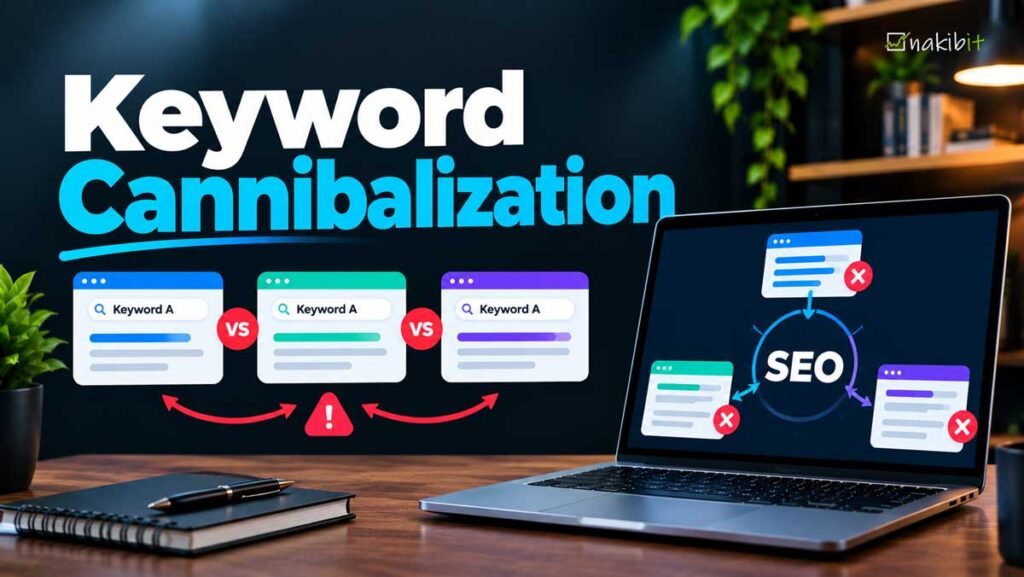
Keyword cannibalization happens when two or more pages on the same website target the same keyword and search intent, so they compete with each other instead of one strong page ranking. It is not a Google penalty. It is a planning problem that splits links, clicks and relevance across several URLs, and the usual fix is to merge the pages, make them clearly different, or fix the internal links. This guide shows how to tell a real problem from harmless overlap, how to find it with free tools, how to fix it step by step, how to measure the result, and how to stop it coming back.
I am Nazirul Islam Nakib, a freelance SEO expert in Dhaka. I have audited sites for clients in more than 20 countries, and overlapping pages are one of the first things I look for, especially on blogs, service sites and online stores. If you are new to the basics, read my plain guide on what SEO optimization is first.
What is keyword cannibalization in SEO?
Keyword cannibalization, also spelled cannibalisation and sometimes called keyword cannibalism or content cannibalization, is when several pages from one site fight for the same search query. A search engine then has to choose between them. It may pick the wrong one, swap them from week to week, or rank neither as high as a single focused page would rank.
Here is a simple example. A dentist in Dhaka publishes a page called “Teeth Whitening”, then a blog post called “Teeth Whitening Cost”, then a service page called “Teeth Whitening in Dhaka”. All three open with the same intro and use the same phrase in the title, headings and anchors. Someone searching “teeth whitening dhaka” could land on any of them, and each page collects only part of the links and clicks that one good page could hold.
Two things to keep straight:
- It is an SEO term, not a Google penalty. Nothing is wrong with your site in a technical sense. The pages just give search engines a weak signal about which one matters.
- The word “keyword” is misleading. What matters is search intent. Two pages can share a word and be fine. Two pages can use different words and still compete if they answer the same question.
Is keyword cannibalization actually bad?
It depends, and the SEO industry is split. Semrush treats it as a real problem to find and fix. Ahrefs argues that the idea is often overstated, because many pages rank for the same keywords without hurting each other, and warns against treating every overlap as an issue. Both views contain truth. My own rule:
Overlap is normal. Competition between two pages with the same job is the problem.
Use this four-question test before you change anything:
| Question | If yes | If no |
|---|---|---|
| Do both pages answer the same question for the same type of searcher? | Likely a problem | Probably fine |
| Do the ranking URLs swap places for the query over time? | Likely a problem | Probably fine |
| Is the page you want for this query ranking below a page you do not want? | A problem | Fine |
| Would one combined page be clearly better for the reader? | Merge them | Keep both |
When two pages ranking for the same keyword is fine
- Different intent. A guide that explains a topic and a product page that sells it can both rank for the same phrase because people want different things.
- Branded searches. Your home page, pricing page and blog can all appear for your brand name. Google may show more than two results from one domain when it judges them especially relevant, as it said when it introduced its site diversity change in June 2019.
- Long-tail overlap. Pages often rank for hundreds of queries. A few shared ones do not signal a conflict.
Why Google’s two-results-per-site habit matters
When Google announced its site diversity change in June 2019, it said it would generally show no more than two results from the same domain in the main web results. That has a practical effect. If you have four pages competing for one query, at most two can show on page one in most cases, and the other two are wasted effort.
Why keyword cannibalization happens
- No keyword map. Writers publish without checking what already exists.
- Years of blogging. A site that has published for ten years often has several posts on “how to” topics written at different times.
- Service and location pages. Near-identical pages for each city or each service variant, with only the place name changed.
- Online store structure. Category pages, filter pages, product variants and buying-guide posts that all target “best [product]”.
- Homepage doing too much. The home page targets the same phrase as an inner page.
- Refreshes done as new posts. Instead of updating an old post, someone publishes a new version and leaves the old one live.
- Site migrations and CMS quirks. Tag pages, archives, print versions and URL parameters create extra URLs that look like competing pages.
- Internal links with the wrong anchors. If you link to several pages using the same exact anchor text, you tell search engines they are all the answer.
How to find keyword cannibalization
You do not need a paid tool to start. Use the methods below in this order.
Method 1: Google Search Console (free)
Google’s Search Console shows which URLs of your site appear for a query. Google’s own help page describes the steps:
- Open the Performance report and go to the Queries tab.
- Click a query in the table. All the report data is then filtered to that query.
- Open the Pages tab to see which URLs appeared for it.
If two or more pages show clicks and impressions for the same query, note it down. Two things to remember: query matching in the filter is exact and not case-sensitive, so similar phrasings are not included unless you use a regular expression; and the Pages tab aggregates data by page, so its totals can differ from the chart. For the full list, export the Performance data with both Query and Page and sort in a spreadsheet by query to see which queries have more than one URL.
Then check each case: Is one page clearly ahead? Are impressions split evenly? Does the date range show the ranking URL changing?
Method 2: Search Console date comparison
Filter to a query and compare two periods in the Pages tab. If Page A had the impressions three months ago and Page B has them now, the two have swapped, which is a classic sign of competition.
Method 3: Rank tracking tools
- Semrush: its Position Tracking tool flags “affected keywords” where more than one page ranks in the top 100, and tracks up to 5,000 keywords depending on plan. Its Enterprise SEO cannibalization report covers up to 25,000 keywords.
- Ahrefs: in Site Explorer, filter organic keywords to “Multiple URLs only” to see queries where several of your pages rank, then check the history and the results page to confirm.
- Other tools such as SE Ranking or Sitebulb offer similar reports.
A tool report is a lead, not a verdict. It shows overlap. You still have to judge intent.
Method 4: A site: search
Type site:yourdomain.com “your keyword” into Google. It shows pages Google associates with the phrase. It is rough, because the results are loosely related, but it is a quick sanity check for obvious duplicates.
Method 5: Look at the actual results
Search your target keyword in a private window. If your site shows two listings, check whether they are the pages you expected. If the wrong page ranks, you have a signal problem even if you are on page one.
Method 6: A content audit with a keyword map
List every URL with its title, main keyword and search intent. Sort by main keyword. Duplicates and near-duplicates jump out. This also becomes the keyword map you will use to prevent the problem later. My SEO audit and keyword research services start here.
How to tell a real problem from false alarms
| Signal | What it suggests | Action |
|---|---|---|
| Two URLs trade the top spot week to week | Competition with the same intent | Merge or differentiate |
| Both pages rank on page two or lower, and combined impressions are healthy | Split signals | Merge into one stronger page |
| The wrong page ranks (for example, a blog post for a buying query) | Intent mismatch | Fix titles, internal links and anchors |
| One page ranks well, the other ranks for different long-tail terms | Healthy coexistence | Do nothing |
| A branded query shows several of your pages | Normal | Do nothing |
| Impressions are tiny for both | Not a cannibalization problem; likely a content or authority problem | Improve content first |
How to fix keyword cannibalization
Pick the fix by asking what the two pages should be. Semrush lists four options (redirect, canonical, differentiate, noindex). Ahrefs favours consolidation and warns against noindex, canonicalizing non-duplicates and de-optimizing. Here is how I decide:
| Situation | Best fix |
|---|---|
| Two pages, same intent, one is weaker or outdated | Merge the best parts into the stronger page and 301 redirect the weaker one |
| Two pages, same intent, both have value | Combine into one new, better page and redirect both |
| Pages are near-duplicates that must stay live (for example, parameter or print versions) | Use rel=canonical to the preferred URL |
| Pages have different intent but similar wording | Differentiate titles, headings, copy and internal links |
| The wrong page ranks | Fix internal links and anchors, and make the right page stronger |
| Thin pages with no value (empty tag archives) | Noindex or remove, then redirect if they have links |
Fix 1: Merge pages and 301 redirect
- Pick the winner. Compare backlinks, rankings, traffic and content quality. Keep the URL with the most history unless its address is poor.
- Improve the winner. Add the useful sections, facts and examples from the other pages. Do not paste text blindly; rewrite so the page reads as one piece.
- Redirect the losers. Use a 301 permanent redirect from each old URL to the winner. Google lists redirects as a strong signal that the target should become canonical.
- Update internal links. Point every link on your own site directly to the new URL, so you avoid redirect chains.
- Update the sitemap. Remove the old URLs and make sure the winner is included.
- Request indexing for the updated page in Search Console and watch the data.
Keep the redirects in place for a long time. Google’s John Mueller has said redirects for a site move should stay for at least a year, and there is rarely a reason to remove consolidation redirects at all.
Fix 2: Use a canonical tag when you must keep duplicates
Google says rel=canonical and redirects are both strong signals, and that a sitemap entry is a weak one. Rules to follow from Google’s documentation:
- Use absolute URLs.
- Add a self-referencing canonical on the preferred page.
- Use either the HTML element or the HTTP header, not both.
- Do not use robots.txt for canonicalization.
A canonical is for near-identical pages. It is not a trick for two different articles. If the content differs, Google may ignore it, and you will have solved nothing.
Fix 3: Differentiate the pages
When both pages deserve to exist, make the difference obvious:
- Rewrite the title tag, H1 and first paragraph so each answers a different question.
- Change the slug if it repeats the other page’s keyword exactly.
- Remove overlapping sections and link to the other page instead of repeating it.
- Link both ways with descriptive anchors: the overview links to the detail with a specific anchor, and the detail links back with a broader one.
For example, a broad guide to “link building” and a narrow guide to “ecommerce link building” are different jobs. See how my backlinks guide and my ecommerce link building post divide the topic.
Fix 4: Repair internal links and anchors
Often the quickest win. If twenty pages link to the wrong URL with the keyword as the anchor, you are voting for the wrong page. Change those links so the target page gets the main anchor text and the others get different, descriptive ones.
Fix 5: Noindex or delete, only when it is right
Noindex removes a page from search results entirely, and Google notes that it will completely block the page from Search. It also passes no ranking signals, so it does not consolidate strength. Use it for pages that should exist for users but not for search, such as thin archives. If a page has no business value and no links, delete it and redirect the URL only if there is a relevant target.
Keyword cannibalization on different types of sites
Blogs and content sites
Run a content audit once a year. Merge old posts that cover the same question and redirect them. Update the winner instead of publishing a new version. A topic cluster helps: one pillar page, supporting posts on narrower questions. See topical authority and my keyword topical cluster map.
Service and location pages
Pages that differ only in the city name are the most common source of overlap I see. Give each page something real: local proof, local staff, local examples, and different internal links. See local landing pages and multi-location SEO. Semrush also lists avoiding cannibalization in location pages as a common query, which shows how many people hit this.
Ecommerce
Watch for category pages competing with product pages and buying guides for “best [product]” searches. Decide which URL should rank for the shopping query, and link the guide to it. Handle filter and variant URLs with canonicals. See my ecommerce SEO pages.
WordPress sites
Tag and category archives, author pages and date archives can create extra URLs for the same topic. Keep only the archives you actually want indexed, and give them unique introductions.
Mistakes to avoid when fixing cannibalization
- Merging pages with different intent. You lose the long-tail traffic of the one you removed.
- Redirecting everything to the homepage. Redirect to the closest relevant page.
- Redirect chains. Update old links so A goes straight to C, not A to B to C.
- Mixing signals. Do not noindex a page and also canonical it, or redirect a URL and also list it in the sitemap.
- Using canonicals as a shortcut. If pages are not near-identical, the tag may be ignored.
- De-optimizing the loser. Stripping keywords from a page rarely helps. Merge or differentiate instead.
- Fixing without a record. Save the before-and-after URLs, titles and ranking data.
- Deleting without checking links. A page with backlinks should be redirected, not just removed.
How to measure whether the fix worked
Search engines need time to crawl the redirects and re-evaluate the pages, so look for movement over weeks, not days. Track these:
- Clicks and impressions for the target query in Search Console, filtered by the winning URL.
- Average position for the query, and whether the right URL now ranks.
- Whether the losing URLs have dropped out of the Pages tab.
- Total clicks for the merged group of URLs before and after, because the aim is a stronger combined result, not just a better position for one page.
Record a baseline before you change anything: the last 3 months of data for each competing URL. If the combined clicks fall and do not recover, the merged page may not satisfy the intent better. Improve it, don’t revert blindly.
How to prevent keyword cannibalization
Build a keyword map
A keyword map assigns one main keyword and intent to one URL. A simple sheet is enough:
| URL | Main keyword | Search intent | Supporting keywords | Internal links in from |
|---|---|---|---|---|
| /what-are-backlinks/ | backlinks | Learn | quality backlinks, anchor text | Link building service, SEO guides |
| /services/link-building/ | link building service | Hire | link building packages | Backlinks guide |
A pre-publish checklist
- Search your site for the main keyword and related phrases.
- Check Search Console for existing pages that already get impressions for it.
- Decide: is this a new topic, a better version of an old page, or a different intent?
- If it is a better version, update the old page instead.
- Write a title and H1 that name the specific angle.
- Plan the internal links before you publish.
Internal linking rules
Give each target page its own anchor phrase. Link from general pages to specific ones with descriptive text. Do not link to five pages using the same words. My content SEO work follows these rules.
Keyword cannibalization and AI search
People now get answers from Google AI Overviews, ChatGPT, Perplexity, Gemini and Copilot. These tools usually draw on pages that search indexes find and trust, but they do not publish exact source-selection rules, so I will not claim to know how overlapping pages are weighted. What is reasonable to say:
- One clear page on a topic gives an AI tool one obvious source to cite. Five similar pages make that choice harder.
- Clear definitions, direct answers and consistent facts help. Contradictions between your own pages do not.
- Entities matter: a brand or topic that is described the same way across your site is easier to recognise. See entity based SEO and information gain in SEO.
Semrush has cited a third-party figure that ChatGPT uses about 1.26 pages per domain in a response. Treat that as a hint, not a rule. The practical takeaway is simple: make each topic page the best single answer. For more, read what is answer engine optimization and how to track visibility in AI search engines.
Free and paid tools for finding cannibalization
| Tool | Cost | What it does well |
|---|---|---|
| Google Search Console | Free | Shows the real URLs Google shows for a query, with clicks and impressions |
| Spreadsheet (Sheets or Excel) | Free | Sort a Search Console export by query to spot duplicates and build a keyword map |
| Semrush Position Tracking | Paid | Flags affected keywords with more than one page in the top 100 |
| Ahrefs Site Explorer | Paid | “Multiple URLs only” filter, ranking history for each URL |
| Crawler (Screaming Frog, Sitebulb) | Free and paid | Lists titles, headings and slugs so you can catch near-duplicates |
No tool tells you intent. That is your job.
A worked example
This is an illustration, not a client result. A small SEO blog has two posts. Post A, “What is a backlink?”, was written in 2021. Post B, “Backlinks explained for beginners”, was written in 2024. Search Console shows both with impressions for “backlinks”, and the ranking URL changed twice in six months.
- Intent check: both answer “what is it?”, so the intent is the same.
- Pick the winner: Post A has more backlinks, Post B has better content.
- Keep Post A’s URL, rewrite it with Post B’s better sections, and update the date.
- 301 redirect Post B to Post A and update the internal links.
- Check in Search Console after a few weeks to see if one URL now holds the impressions.
Frequently asked questions
What is keyword cannibalization?
It is when multiple pages on one site target the same keyword and search intent, so they compete with each other instead of one page ranking strongly.
Is keyword cannibalization bad for SEO?
It can be, when two pages have the same intent and split links, clicks and relevance. Overlap between pages with different intent is normal and usually fine.
How do I find keyword cannibalization for free?
Use Google Search Console. Open the Performance report, click a query, then open the Pages tab to see which URLs appeared for it. If two or more pages share impressions, investigate.
How do I fix keyword cannibalization?
Merge pages with the same intent and 301 redirect the weaker one, use rel=canonical for true duplicates, differentiate pages with different intent, and fix internal links and anchors.
Should I delete or noindex a cannibalizing page?
Only if the page has no value. Noindex removes the page from search and passes no ranking signals. If a page has links or traffic, merge and redirect instead.
Does Google penalize keyword cannibalization?
No. It is an SEO term, not a penalty. The cost is lost performance because your signals are split.
Can two pages rank for the same keyword?
Yes. Google generally shows no more than two results from the same domain in the main results, with exceptions when it judges more to be especially relevant, such as many branded searches.
How long does it take to see results after fixing cannibalization?
Search engines must crawl the redirects and re-evaluate your pages, so allow weeks. Compare combined clicks across the old URLs and the new one against a baseline you recorded before the change.
What is the difference between keyword cannibalization and duplicate content?
Duplicate content means the text is the same or nearly the same. Cannibalization is about competing intent. Pages can have different text and still compete.
Can a canonical tag fix keyword cannibalization?
Only for near-identical pages. For different articles, merge or differentiate instead.
Does cannibalization affect AI search visibility?
AI tools do not publish how they pick sources, but one clear page per topic is easier to cite than several overlapping ones.
Can you check my website for keyword cannibalization?
Yes. Send your site through the free website audit and I will reply within 24 hours.