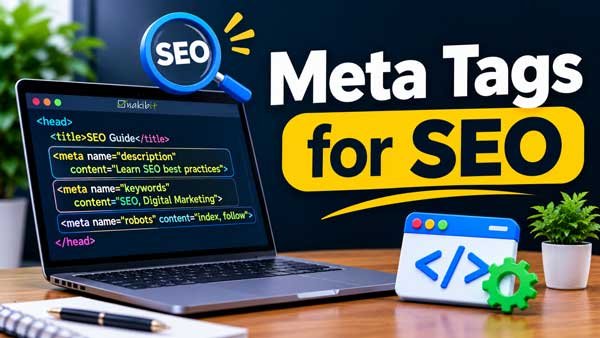
Meta Tags for SEO: What Matters, What Doesn’t and How to Use Them
Meta tags for SEO explained from Google's own documentation: which tags matter, why meta keywords are ignored, how to write titles and descriptions, and how to use robots, viewport and social tags correctly.
Ask five SEOs which meta tags for SEO matter and you will get five different lists. Some still insist on meta keywords. Others say meta tags are dead.
Neither is true. This guide sticks to what Google documents, tells you which tags earn their place, shows exactly how to write them, and explains why one famous tag, meta keywords, can be safely forgotten.
Meta tags for SEO in short
Meta tags are small pieces of HTML in a page’s head that describe the page to browsers and search engines. Visitors never see them on the page itself.
For SEO, five things are worth your time:
The title element. Technically not a meta tag, but the most important piece of page metadata. Google often uses it as the clickable title in results.
The meta description. It does not directly affect rankings, but it can become the snippet and influence clicks.
The robots meta tag. It controls whether a page is indexed and how it is shown.
The viewport tag. It makes a page display properly on phones.
Social tags (Open Graph and X cards). They control how a link looks when shared, not how it ranks.
The meta keywords tag is not on that list. Google says it has no effect on indexing or ranking at all.
What are meta tags (and what is metadata in SEO)?
Metadata means “data about data.” On a web page, SEO metadata is the information that describes the page rather than being part of the visible content: its title, summary, language, indexing rules and how it should be previewed when shared.
That information lives inside the page’s head section, written as HTML tags. Here is a simple example:
<head>
  <meta charset="UTF-8">
  <meta name="viewport" content="width=device-width, initial-scale=1">
  <title>Meta Tags for SEO: What Matters and What Doesn't</title>
  <meta name="description" content="Which meta tags matter for SEO, which Google ignores, and how to write them.">
  <meta name="robots" content="index, follow">
</head>
You can see the tags on any page by using “View page source” in your browser. Google’s URL Inspection tool in Search Console shows how Google sees them on your own pages.
Title tag vs meta tags
People often lump the title in with meta tags, and most guides do the same. Strictly, the title is its own HTML element. Because it carries so much weight, we treat it with the meta tags below.
Which meta tags does Google support?
Google publishes a list. Anything not on it is ignored. That makes the list the safest guide you have.
Tag
What it does
Use it?
description
Suggests a summary that may appear as the search snippet
Yes, on every important page
robots / googlebot
Controls indexing and snippet display. Default is “index, follow”
Only when you need to restrict something
viewport
Controls mobile rendering. Signals a mobile-friendly page
Yes, on every page
charset / Content-Type
Sets character encoding. UTF-8 is recommended
Yes. Most themes add it
notranslate
Stops Google offering a translated title and snippet
Rarely
google-site-verification
Proves ownership in Search Console
If you verify this way
rating
Labels adult content (“adult”) for SafeSearch
Only for adult sites
nopagereadaloud
Blocks Google text-to-speech from reading the page
Rarely
refresh
Redirects after a delay. Google recommends a server-side 301 instead
Avoid
keywords
Not used by Google. No effect on indexing or ranking
No
Google also notes that it ignores meta tags it does not support, so extra tags are harmless. Avoid adding or changing meta tags with JavaScript where you can, and test carefully if you must.
Title tag best practices
The title is the strongest piece of metadata on the page. Google builds the clickable title link in results from several sources, including your title element, the main visible heading, other headings, the og:title tag, anchor text and links from other sites.
Your title element is usually the main input, so write it well:
Describe the page clearly. Say what the page is in plain words.
Put the main phrase near the front. Shorter, front-loaded titles are more likely to show in full.
Make every title unique. Boilerplate titles make pages hard to tell apart.
Do not repeat keywords. Google explicitly says stuffing variations of the same terms looks spammy.
Add the brand briefly. Place the site name at the start or end with a separator such as a pipe or hyphen.
Match the visible H1. The two should clearly describe the same page.
How long should a title be?
Google sets no official length limit. It truncates titles to fit the available width, which depends on the device and the letters used. That is why guides that give a hard rule such as “55 characters” are describing a rough habit, not a fact.
A practical approach: keep titles roughly in the 50 to 60 character range, put the key words first, and check how they look in a snippet preview. If an important phrase falls near the end, move it forward.
Why Google rewrites titles
Google may show a different title when it spots problems. Its documentation lists examples: a title that is only a site name, an outdated date that conflicts with the page, text that does not match the page’s content, boilerplate repeated across many pages, unclear main headings, a different language from the page, or a site name repeated in the title and the displayed site name.
If your title keeps getting rewritten, treat it as feedback. The page’s visible heading and the title element probably disagree.
Weak title
Better title
Home
Accountants in Leeds for Small Businesses | Smith & Co
SEO, SEO services, best SEO, cheap SEO
SEO Services for Online Stores | Brand Name
Products
Women’s Running Shoes: Road and Trail | Brand Name
Meta description best practices (2027)
The meta description is a short summary you offer to search engines. Google may use it as the snippet when it describes the page more accurately than text taken from the page. It often builds the snippet from the page text itself, and it changes the snippet to suit each query.
It is not a ranking factor. Matt Cutts said in 2009 that descriptions “don’t count in scoring.” Its job is to win the click.
How to write a good meta description
Summarise the page honestly. Google’s guidance says a good description briefly informs and attracts the right visitors.
Be specific. Generic or off-topic text works poorly.
Write one for each page. Use a general description on the homepage and listing pages, and prioritise your most important pages first.
Add useful facts. Author, date, price or product details can help where they are relevant.
Use natural sentences, not keyword lists. Google says keyword lists are a poor choice and are less likely to be used.
End with a reason to click. A clear benefit or next step works better than a generic call to action.
How long should a meta description be?
Google says there is no official limit, and that snippets are cut to fit the device width. A common working range is about 120 to 160 characters, with the key message first so it survives truncation. Treat that as a habit, not a rule.
Weak
Better
We offer the best plumbing services. Plumbing, plumber, emergency plumber, cheap plumbing.
Burst pipe or blocked drain in Leeds? Our plumbers answer 24/7 and give a clear quote before they start.
Learn about meta tags.
Which meta tags matter for SEO, which ones Google ignores and how to write each one, with examples.
For large, database-driven sites such as stores, descriptions can be generated from product data, as long as the result reads naturally and varies from page to page. Our Magento 2 SEO guide shows where these fields live in one popular platform.
Meta robots tag: controlling indexing and snippets
The robots meta tag tells search engines whether to index a page and how to display it. Without any tag, the default is “index, follow”, so you only add one when you want to restrict something.
Directive
What it does
noindex
Keeps the page out of search results
nofollow
Tells Google not to follow the links on the page
none
Shorthand for noindex plus nofollow
nosnippet
Blocks text snippets and video previews. A static image may still show
max-snippet:[number]
Caps snippet length in characters. 0 equals nosnippet, -1 lets Google decide
max-image-preview:[none|standard|large]
Sets the size of image previews
max-video-preview:[number]
Caps video preview length in seconds
noimageindex
Stops images on the page from being indexed
notranslate
Stops Google offering a translation in results
unavailable_after:[date]
Removes the page from results after a set date and time
indexifembedded
Lets embedded content be indexed even with noindex (works only alongside noindex)
Three rules that save you from costly mistakes
The most restrictive rule wins. If a page has both max-snippet:50 and nosnippet, nosnippet applies.
Do not block a page in robots.txt if you want noindex to work. Google only sees the tag when it crawls the page. If robots.txt blocks the page, the noindex is never read.
Use noindex to keep a page out of search, not nofollow. Nofollow concerns links, not whether the page appears.
Typical pages to noindex are internal search results, thank-you pages, staging copies and thin utility pages. Never noindex pages you want to rank. A forgotten noindex left over from development is one of the most damaging and most common errors; a regular SEO audit catches it.
Google’s documentation also says that nosnippet keeps your text out of AI Overviews and AI Mode as a direct input. Use these controls only after weighing what you lose: less visibility in exchange for more control.
Meta keywords: what they are and why you can skip them
The meta keywords tag was designed to list the words a page is about:
<meta name="keywords" content="meta tags, seo, metadata">
Early search engines used it. It was quickly abused with long lists of unrelated words, so search engines stopped trusting it.
Does Google use meta keywords?
No. Google announced in September 2009 that it does not use the keywords meta tag in web ranking. Matt Cutts, then head of Google’s webspam team, added that Google uses over two hundred ranking signals, that meta keywords is not one of them, and that he did not expect it to become one.
Google’s current documentation repeats the point: the keywords tag has no effect on indexing and ranking at all. It appears on Google’s list of unsupported tags.
What about Bing and other search engines?
Other engines have said little recently. Reports from 2011 suggested Bing could treat keyword stuffing in the tag as a spam signal. I have not found a current statement from Bing that says it uses the tag as a ranking boost, so there is no reason to expect a benefit.
Should you use meta keywords?
For SEO, no. At best it does nothing. At worst, it hands competitors a list of the phrases you are targeting and wastes your time. Cutts’ own comment was that there is no harm “other than wasting your time.”
Many content management systems and plugins still show a “meta keywords” field. You can leave it empty. Spend that effort on the title, the visible content and the description instead.
One exception: some internal site-search tools and enterprise systems can read the tag. If your own search relies on it, keep it short and relevant, separated by commas. That is a site-search decision, not an SEO one.
Keywords that do help
Where your keywords really belong is in the content people read: the title, the main heading, subheadings, body copy, image alt text and internal links. Our guides to keyword research and on-page SEO explain how to choose and place them without stuffing.
This tells browsers to match the page width to the device. Google’s documentation says its presence signals that the page is mobile friendly. Put it on every page.
Charset
<meta charset="UTF-8">
It tells the browser how to read the text so characters display correctly. Google recommends UTF-8 where possible. It is not a ranking tag, but broken characters hurt readability.
Language and country
Google detects the language from the page text and does not use the HTML lang attribute for that. For sites in several languages or countries, use hreflang links, covered in our international SEO work, rather than relying on a language meta tag.
Open Graph and X (Twitter) card tags
These tags tell social platforms how to show your link: the title, description and image. They are not ranking factors. Their value is a better-looking share, which can bring more clicks, mentions and links over time.
Use a clear, properly sized image, and test shared links in each platform’s debugging tool after changes. Google may also read og:title as one of the inputs when it builds title links.
Other meta tags you will hear about
Tag
Verdict
Meta refresh redirect
Avoid. Use a server-side 301 redirect. Google says browser support is inconsistent
Geo meta tags
Not on Google’s list of supported tags, so do not expect a local-SEO benefit. Use a Google Business Profile and local SEO instead
Author, generator, copyright
Harmless, but not used by Google for ranking
Canonical
A link tag, not a meta tag, but important: it tells Google your preferred URL for duplicate pages
Hreflang
Also a link tag, used to show language and region versions
Rating
Only for adult content, to help SafeSearch
How to add and edit meta tags
Hand-coded sites: edit the head section of each template or page.
WordPress: use your theme’s SEO fields or an SEO plugin to set the title, description and robots options per page.
Shopify, Wix, Magento and other platforms: look for a “search engine listing” or “SEO” panel on each page, product and collection.
Large sites: create title and description templates from real page data, then edit key pages by hand.
After any change, view the page source or use Google’s URL Inspection tool to confirm the tag is actually there. Plugins and themes sometimes output duplicate or conflicting tags, and the most restrictive robots rule wins.
Meta tag audit checklist
Every indexable page has one unique, descriptive title element.
Titles match the visible H1 in meaning, and the main phrase is near the front.
Important pages have unique, specific meta descriptions.
No page you want ranked carries noindex or nosnippet by accident.
No important page is blocked in robots.txt while relying on noindex.
The viewport tag is on every template.
Charset is UTF-8.
Social tags use the right image and title for each page.
No meta refresh redirects. Use 301s.
Meta keywords are empty or removed.
No duplicate or conflicting tags from the theme and a plugin.
Canonical and hreflang links are correct where used.
AI assistants and Google’s AI features read the visible content of your pages far more than hidden metadata. A tidy meta description will not make you more likely to be quoted.
What matters is clear headings, direct answers, accurate facts and structured data. Meta tags still help by keeping the right pages indexed and controlling previews. Our guides to schema markup and AI SEO cover the parts that count more.
Common meta tag mistakes
Spending time on meta keywords.
Duplicating the same title or description across hundreds of pages.
Stuffing keywords into titles and descriptions.
Leaving a noindex in place after launch.
Blocking pages in robots.txt and expecting noindex to work.
Using meta refresh for redirects.
Writing descriptions as keyword lists.
Changing tags with JavaScript and not testing what Google sees.
Believing a fixed character count is a rule.
Frequently asked questions
What are meta tags in SEO?
They are snippets of HTML in a page’s head that describe the page to browsers and search engines, such as its summary, indexing rules and viewport settings.
Which meta tags are most important for SEO?
The title element, the meta description, the robots tag and the viewport tag. Social tags are useful for sharing but do not affect rankings.
Does Google use meta keywords?
No. Google said so in 2009 and its documentation still lists the tag as unsupported, with no effect on indexing or ranking.
Are meta descriptions a ranking factor?
No. They can become the snippet and influence clicks, but they do not directly affect rankings.
How long should a title tag be?
Google gives no official limit. Titles are cut to fit the screen, so keep them concise and put the main words first. About 50 to 60 characters is a practical guide.
How long should a meta description be?
There is no official limit either. Aim for roughly 120 to 160 characters with the key message first, and write it for readers rather than a counter.
Why does Google show a different title or description from mine?
Google builds titles from several sources and may rewrite them when yours is vague, repeated, outdated or mismatched with the page. It also often builds snippets from the page text to suit the query.
How many meta keywords should I use?
None, for SEO. Google ignores the tag. If a site-search tool needs it, keep a few relevant, comma-separated terms.
What is the difference between noindex and nofollow?
Noindex keeps the page out of search results. Nofollow tells Google not to follow the links on the page. They do different jobs and can be combined.
Can I use robots.txt and noindex together?
Not for the same page. If robots.txt blocks the page, Google never sees the noindex tag, so it will not be followed.
Do Open Graph tags help SEO?
Not directly. They control how shared links look, which can lead to more clicks and mentions, but they are not a ranking factor.
Do I need meta tags on every page?
Every page needs a title, and every important page should have a description and viewport tag. Add robots tags only where you need to restrict indexing or snippets.
How do I check the meta tags on my website?
View the page source in your browser, use Google’s URL Inspection tool for your own pages, or run a site crawler to review tags across the whole site.
The bottom line
Good meta tags for SEO are mostly about clarity. Write a clear title, a specific description, set robots rules only when you mean to, and make sure phones can read the page.
Then stop worrying about the rest. Meta keywords, geo tags and similar leftovers will not move your rankings. The content on the page, and how well it answers the search, will.